4 AI apps + video training
Turn a single photo into lifestyle scenes, location-locked angles and cinematic B-roll — same character, same outfit — without writing a single prompt.
Founding price for the first 25 creators. Then $47.
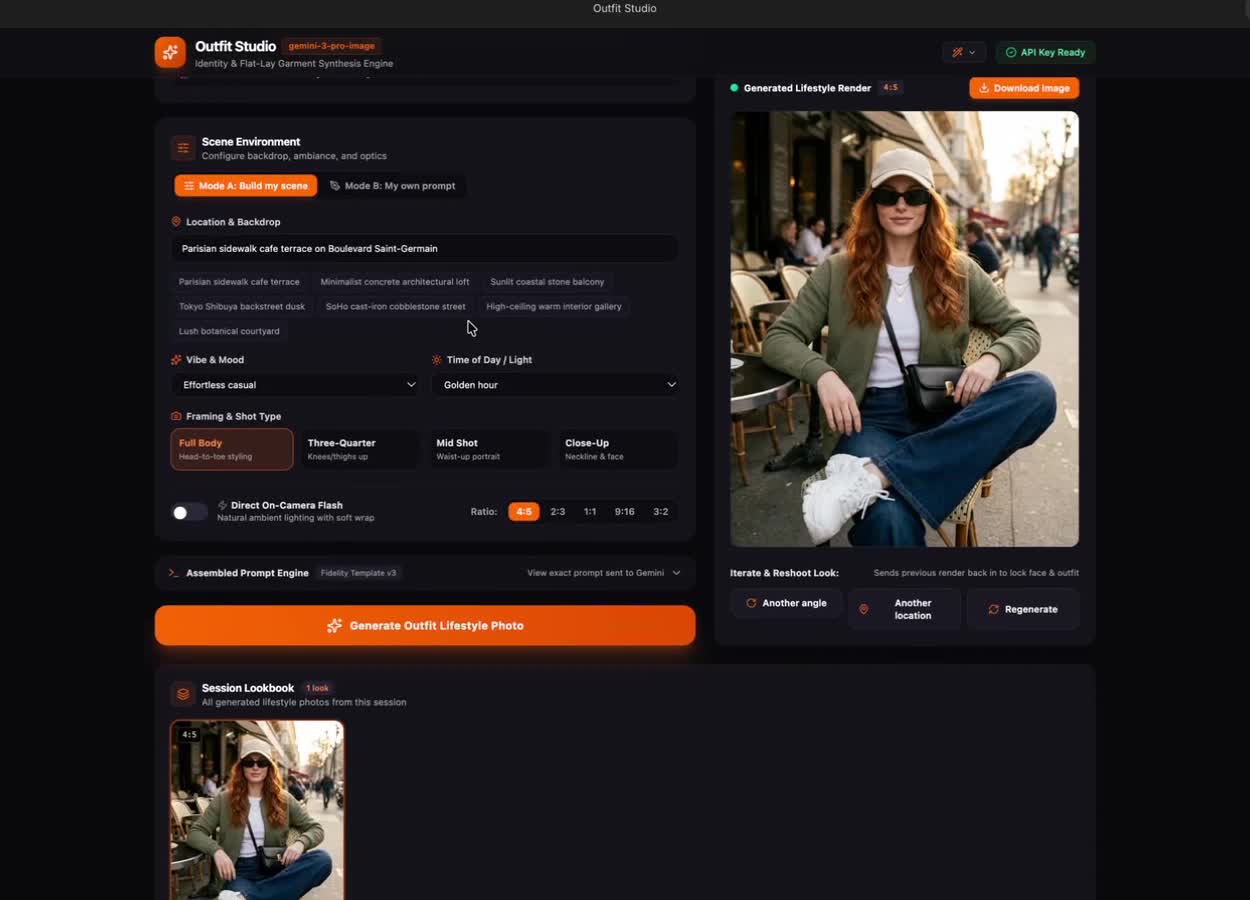
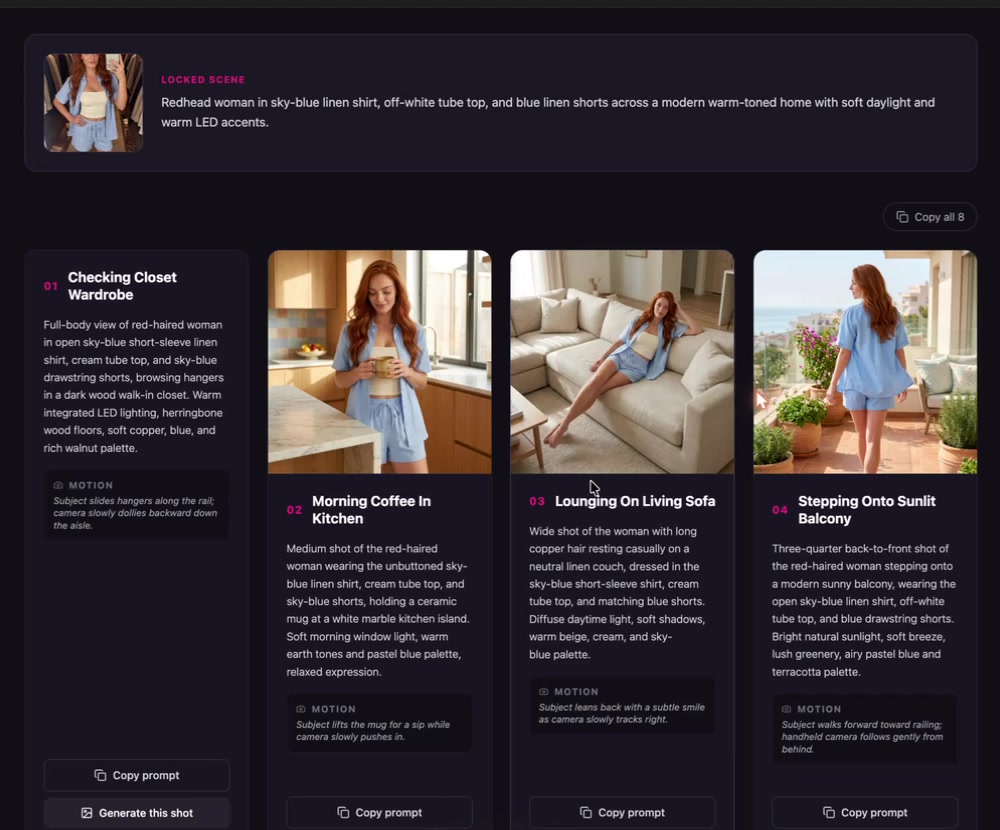
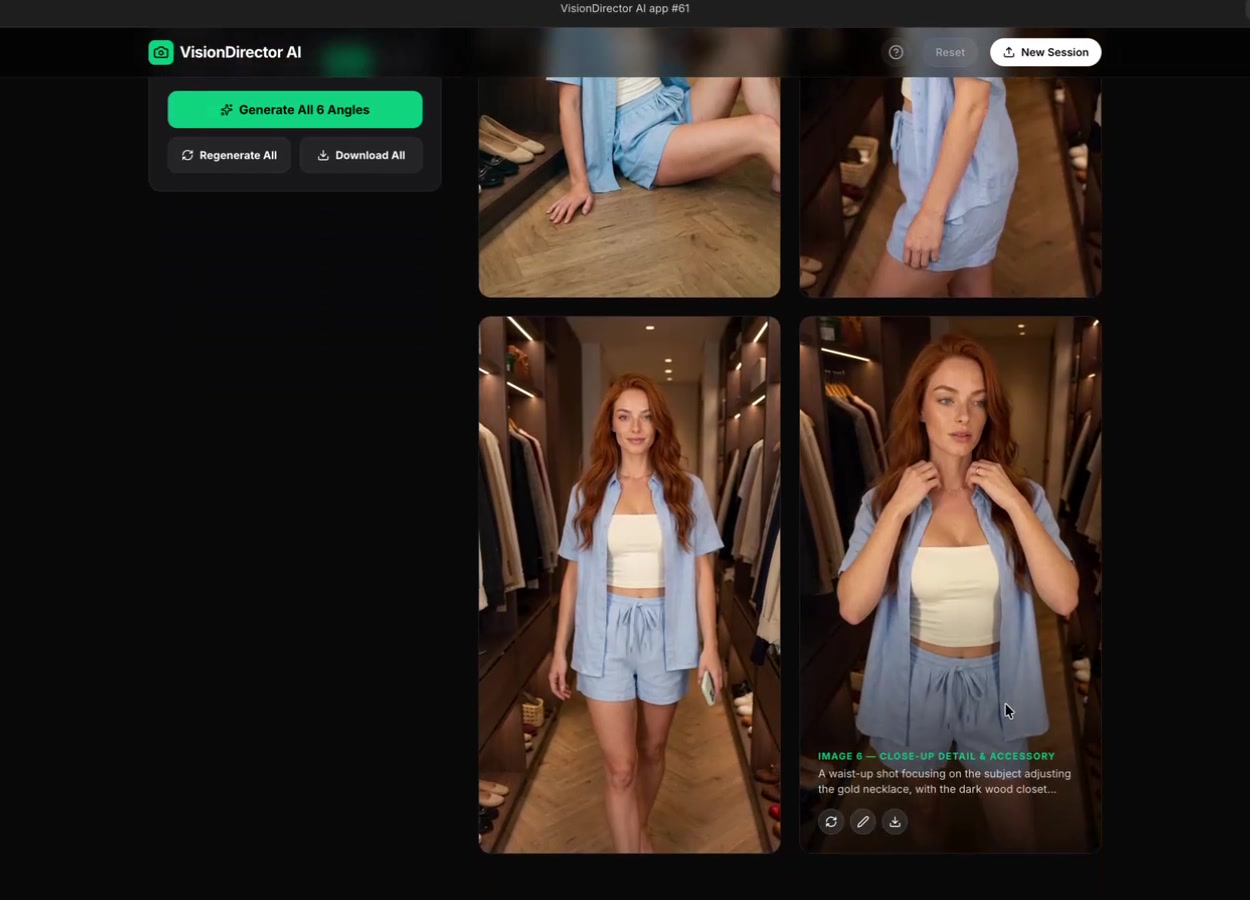
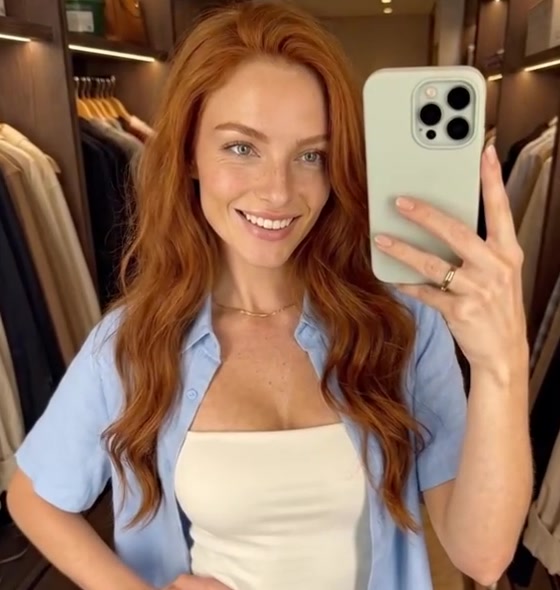
Sneak peek
One photo in. All of this out.
- 8 lifestyle scenes from one image
- 6 location-locked editorial angles
- Cinematic B-roll with zero prompting
Consistent AI content shouldn't cost a subscription and your whole afternoon.
The workflow
Create the look once. Multiply it everywhere.
- 01
Outfit Studio
- 02
Multi-Scene Generator
- 03
Visual Director AI
- 04
Cinematic B-Roll Generator
What's inside
Four apps. One consistent character.
01 · Outfit Studio
Put any outfit on your character.
Drop in your character reference plus a flat lay or individual garments, pick a scene, vibe, light and ratio, and get a finished lifestyle image. Try another location, another angle, or regenerate.
02 · Multi-Scene Generator
One image → 8 scenes, same outfit.
Upload your scene and your character sheet; the app describes the scene for you automatically. Get eight lifestyle shots around the home — kitchen, sofa, balcony, closet — and a fresh set every time. Every shot also comes with its copy-ready prompt.
03 · Visual Director AI
Six angles, location locked.
Same character, same outfit, same spot: hero shot, candid, seated, over-the-shoulder, detail and editorial angles. Choose your ratio, regenerate any shot, or edit it with a quick instruction.
04 · Cinematic B-Roll Generator
One click. An 8-second clip. Zero prompting.
Drag in any image, click Generate Video, download.
The training
8 short video lessons, start to finish
- 1Welcome & overview
- 2Set up your Google AI Studio API key
- 3Remix the apps & connect your key (3-part walkthrough)
- 4Outfit Studio
- 5Multi-Scene Generator
- 6Visual Director AI
- 7Cinematic B-Roll Generator
- 8Putting it all together (ratios, carousels, reels with VideoLeap or CapCut)
Two ways to use it
Generate inside the apps
Connect your own Google AI Studio API key and pay only for what you make. No monthly subscription.
Use the prompts anywhere
Copy the prompt for every shot into Higgsfield, Magnific, ChatGPT or the tool you already use.
Who it's for
- UGC & fashion creators
- AI-avatar / faceless accounts
- Amazon, LTK & affiliate creators who need fresh lifestyle images
- Anyone who wants carousels and reels without a photoshoot
Founding price · first 25 creators
One Image Content Engine
One-time payment. Then $47.
- 4 AI apps (Outfit Studio, Multi-Scene Generator, Visual Director AI, Cinematic B-Roll Generator)
- 8 video lessons
- API key setup walkthrough
- Every prompt included
- 50% affiliate commission — your own link to promote the app bundle + course
- Lifetime access to the bundle
Digital product · All sales final
Bonus
Earn 50% sharing it
Every buyer gets a 50% affiliate commission. Grab your personal link inside the course and earn half of every sale when you share the One Image Content Engine with your audience.
FAQ
Questions
Do I need to know how to prompt?
No. The apps write the prompts for you; you upload images and click.
Is there a monthly fee?
Not for the bundle. To generate inside the apps you connect your own Google AI Studio API key and pay Google per image or video you make. Or copy the prompts into a tool you already pay for. You'll remix each app into your own Google AI Studio account and link your own API key — we walk you through it step by step.
What does generating cost?
It's pay-as-you-go through Google. Image generation on Nano Banana Pro is around $0.13 per image at Google's current pricing; video clips cost more. You'll see your usage inside AI Studio. You'll need billing turned on for your Google API key — Google's free-trial credit doesn't cover image generation.
Do I need a Google account?
Yes, a free Google/Gmail account to use Google AI Studio.
Does it keep my character consistent?
Yes, that's the point: you upload a character sheet or face reference with every generation. Results are AI-generated, so occasionally a shot needs a regenerate.
Can I use the content commercially?
The images and videos you create are yours to post. Follow Google's generative AI terms and label AI content where platforms require it.
Is there an affiliate program?
Yes. Every buyer gets a 50% commission on each sale of the app bundle + course made through their personal affiliate link. You'll find your link inside the course. Commissions are tracked and paid through Beacons (free account required — setup steps are inside the course).
Can I get a refund?
Because this is a digital product with instant access to the apps and course, all sales are final and no refunds are offered. Questions before you buy? Email influencergrowthlab@gmail.com.